> ## Documentation Index
> Fetch the complete documentation index at: https://docs.pulsy.app/llms.txt
> Use this file to discover all available pages before exploring further.
# Browse KV Storage
> Open a bucket, find a key and read the stored value, from the dashboard.
# Browse KV Storage
The **Key-Value** page in the top navigation is a read-only browser over your KV storage. Feeds write to it with `@atria/kv`, and your own code can write to it too.
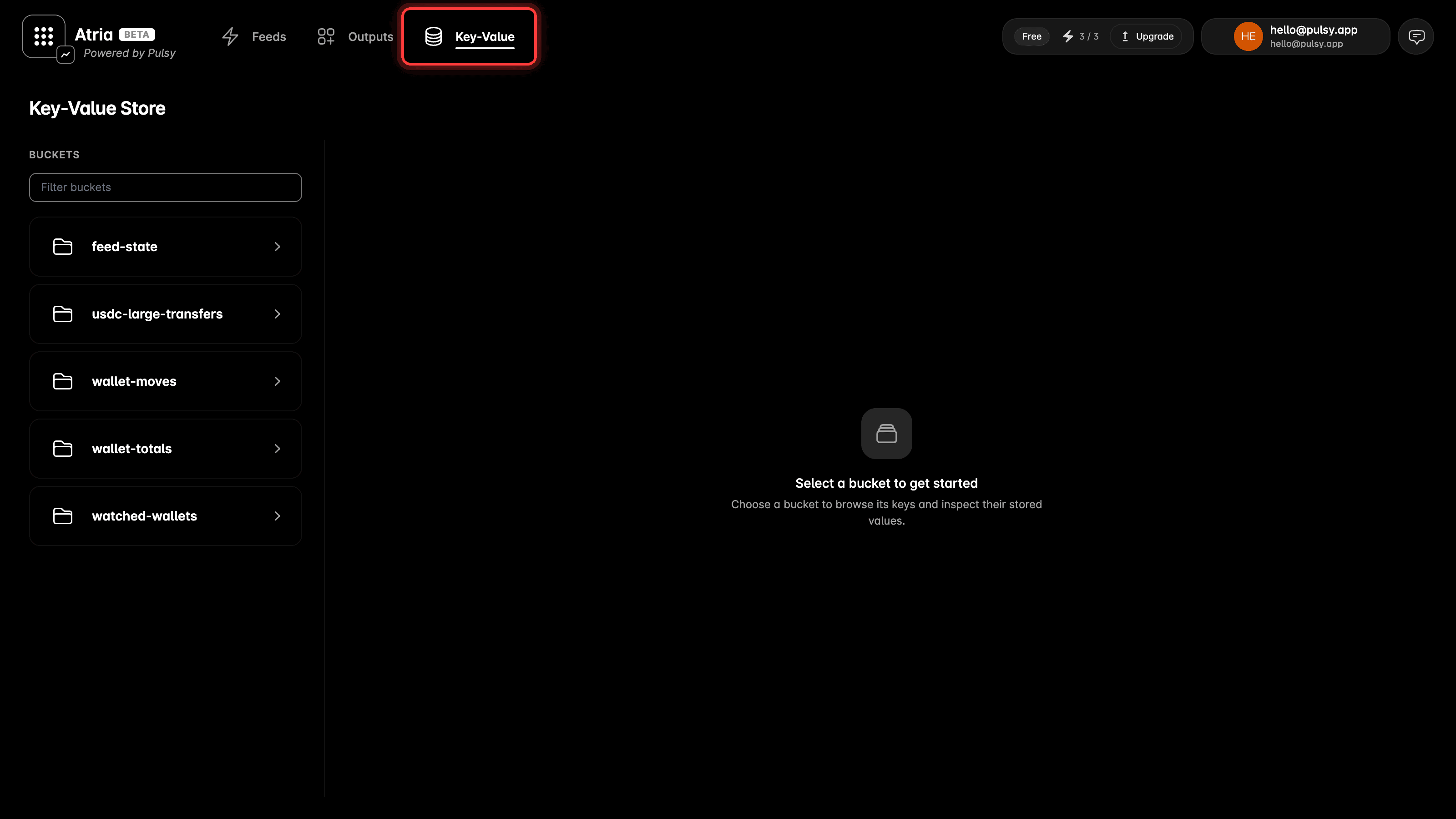 The page has three panes. Buckets on the left, the keys in the selected bucket in the middle, the stored value on the right.
## Buckets
The first pane lists your buckets, ten at a time. Scroll to the bottom for the next ten.
The **Filter buckets** box narrows the buckets that are already loaded. It does not search the ones you have not loaded yet, so load more first if you are looking for a bucket that is not in the list.
The page has three panes. Buckets on the left, the keys in the selected bucket in the middle, the stored value on the right.
## Buckets
The first pane lists your buckets, ten at a time. Scroll to the bottom for the next ten.
The **Filter buckets** box narrows the buckets that are already loaded. It does not search the ones you have not loaded yet, so load more first if you are looking for a bucket that is not in the list.
 ## Keys
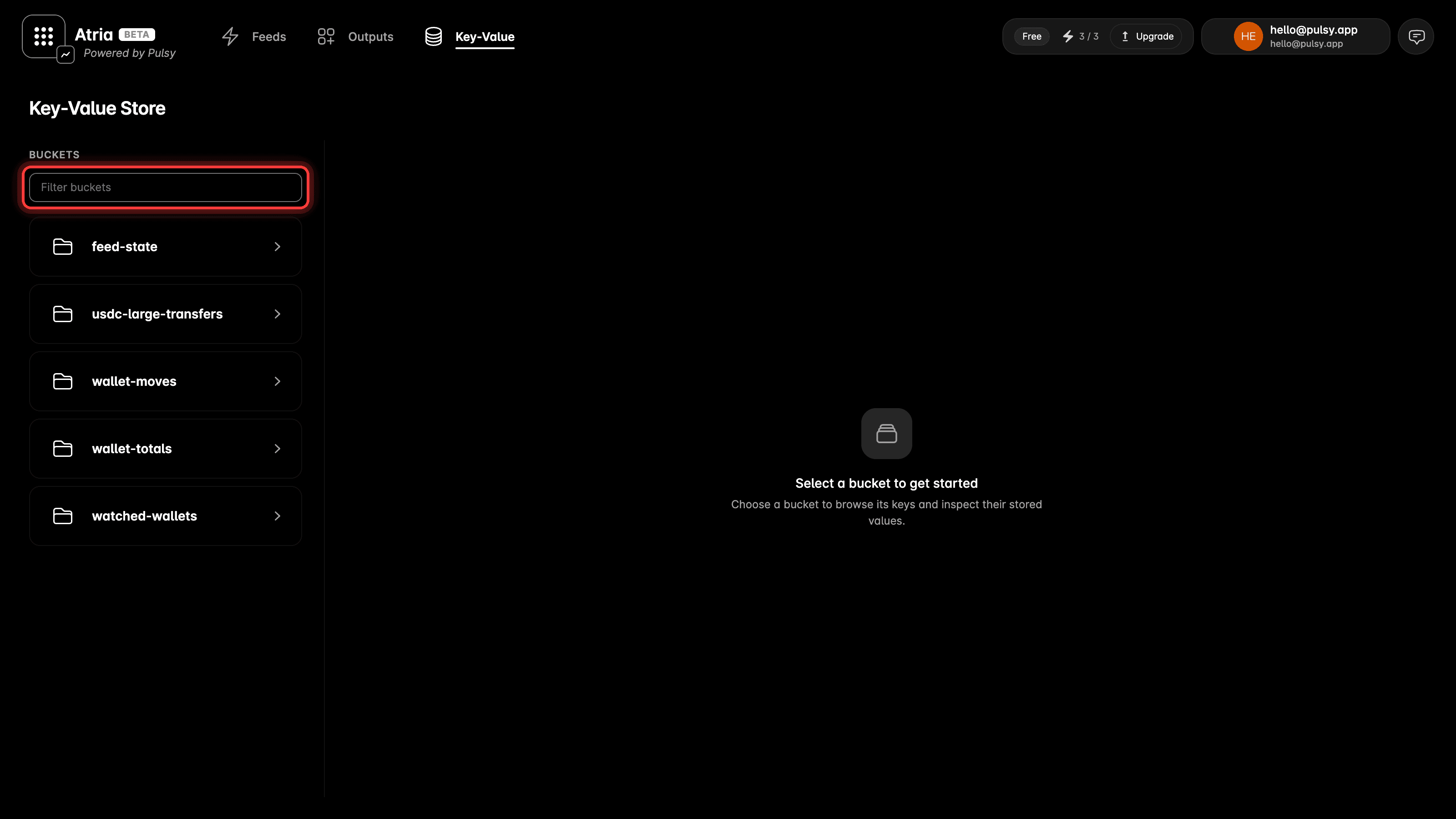
Pick a bucket and the second pane lists its keys, ten at a time, loading more as you scroll.
Each row shows the key, the start of the value, a **JSON** or **TEXT** badge, and the size.
The **Search keys by exact name** box finds one key by its full name. A partial name does not match, so `wallet` will not find `wallet-totals`.
## Keys
Pick a bucket and the second pane lists its keys, ten at a time, loading more as you scroll.
Each row shows the key, the start of the value, a **JSON** or **TEXT** badge, and the size.
The **Search keys by exact name** box finds one key by its full name. A partial name does not match, so `wallet` will not find `wallet-totals`.
 ## Value
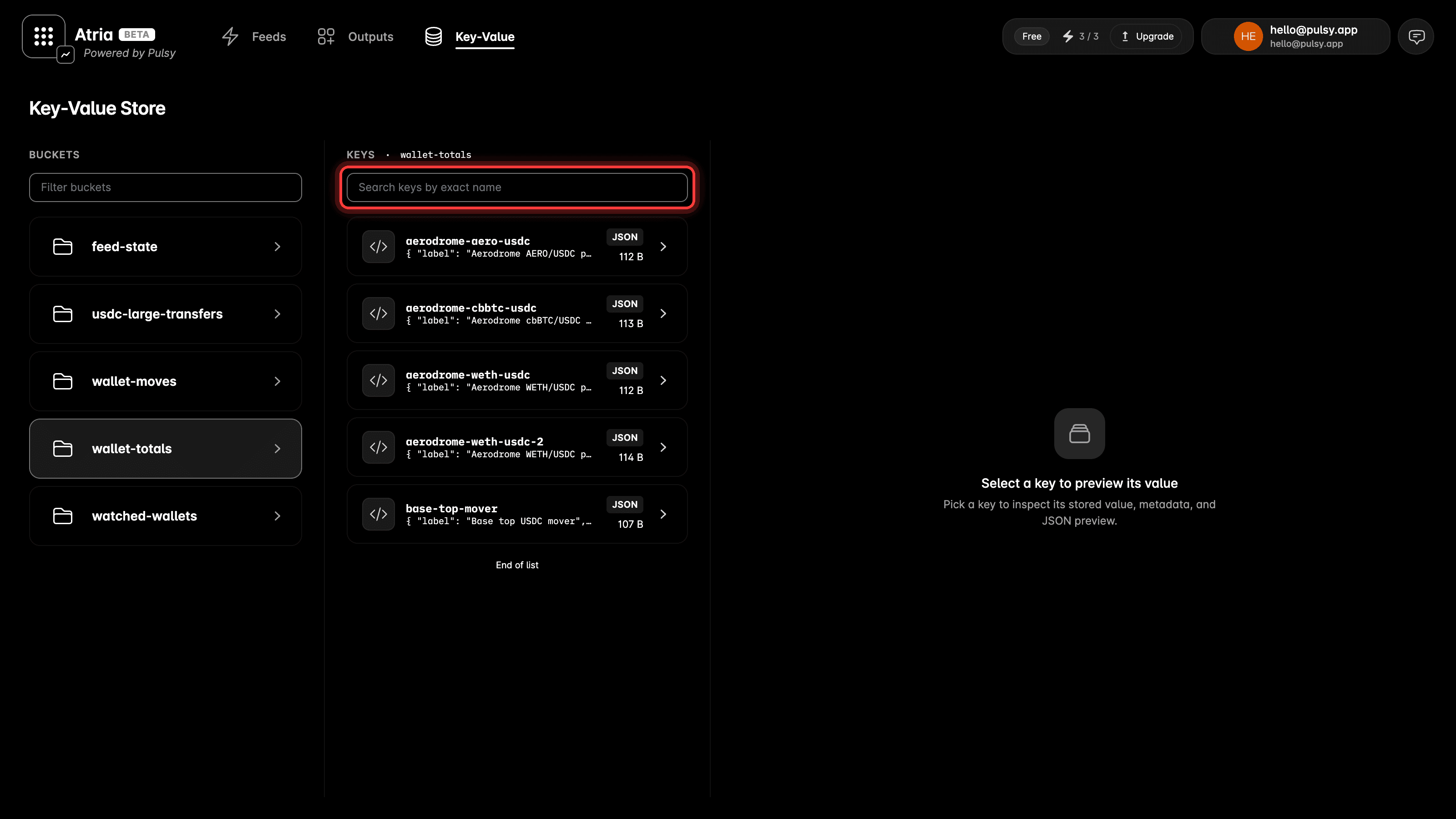
Pick a key and the third pane opens what is stored.
The **Value** tab shows the value itself. Use the view menu on the right to read it as **JSON**, **Plain text** or **Hex**. **Copy** puts it on the clipboard and **Download** saves it as a file.
## Value
Pick a key and the third pane opens what is stored.
The **Value** tab shows the value itself. Use the view menu on the right to read it as **JSON**, **Plain text** or **Hex**. **Copy** puts it on the clipboard and **Download** saves it as a file.
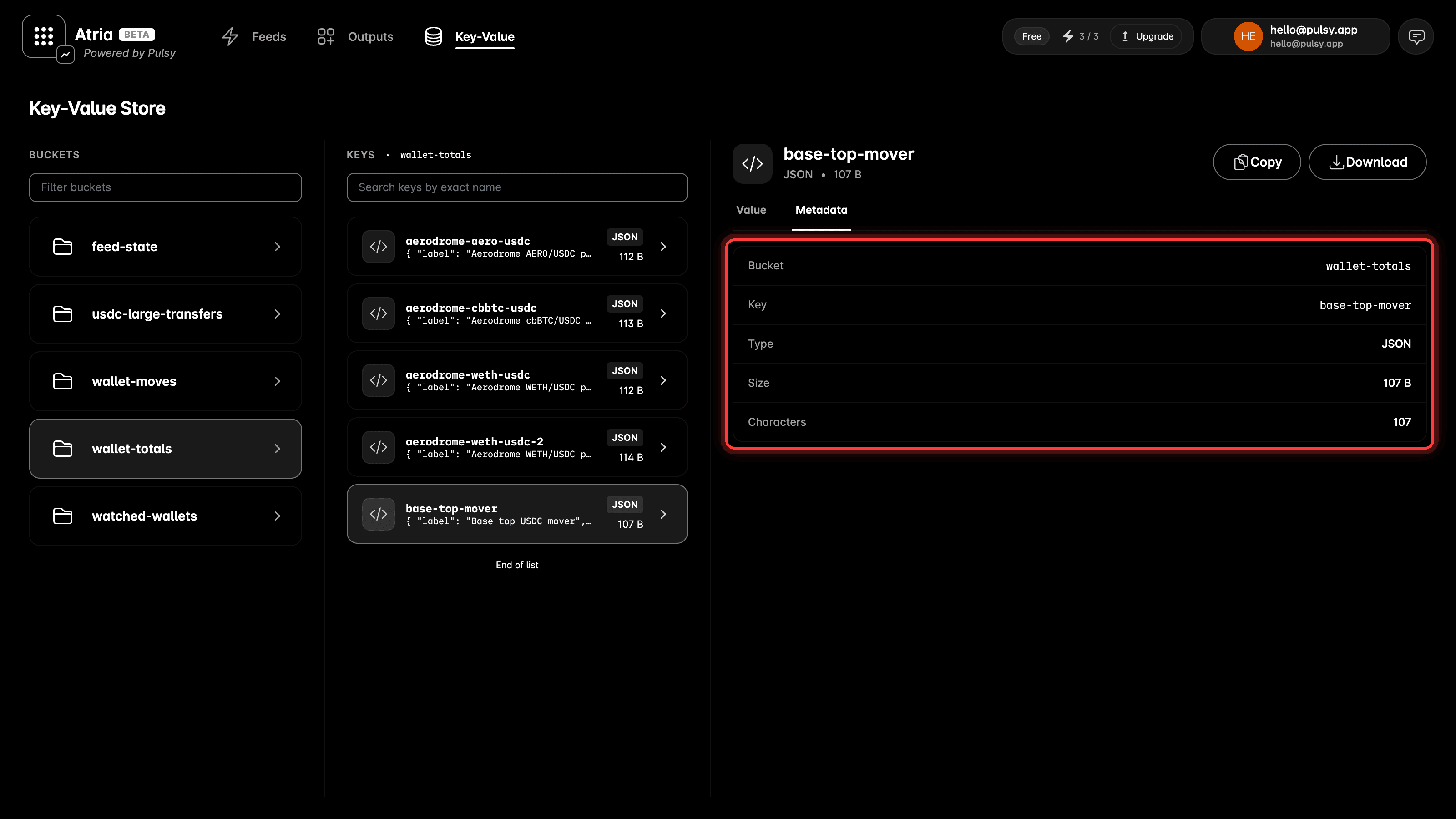
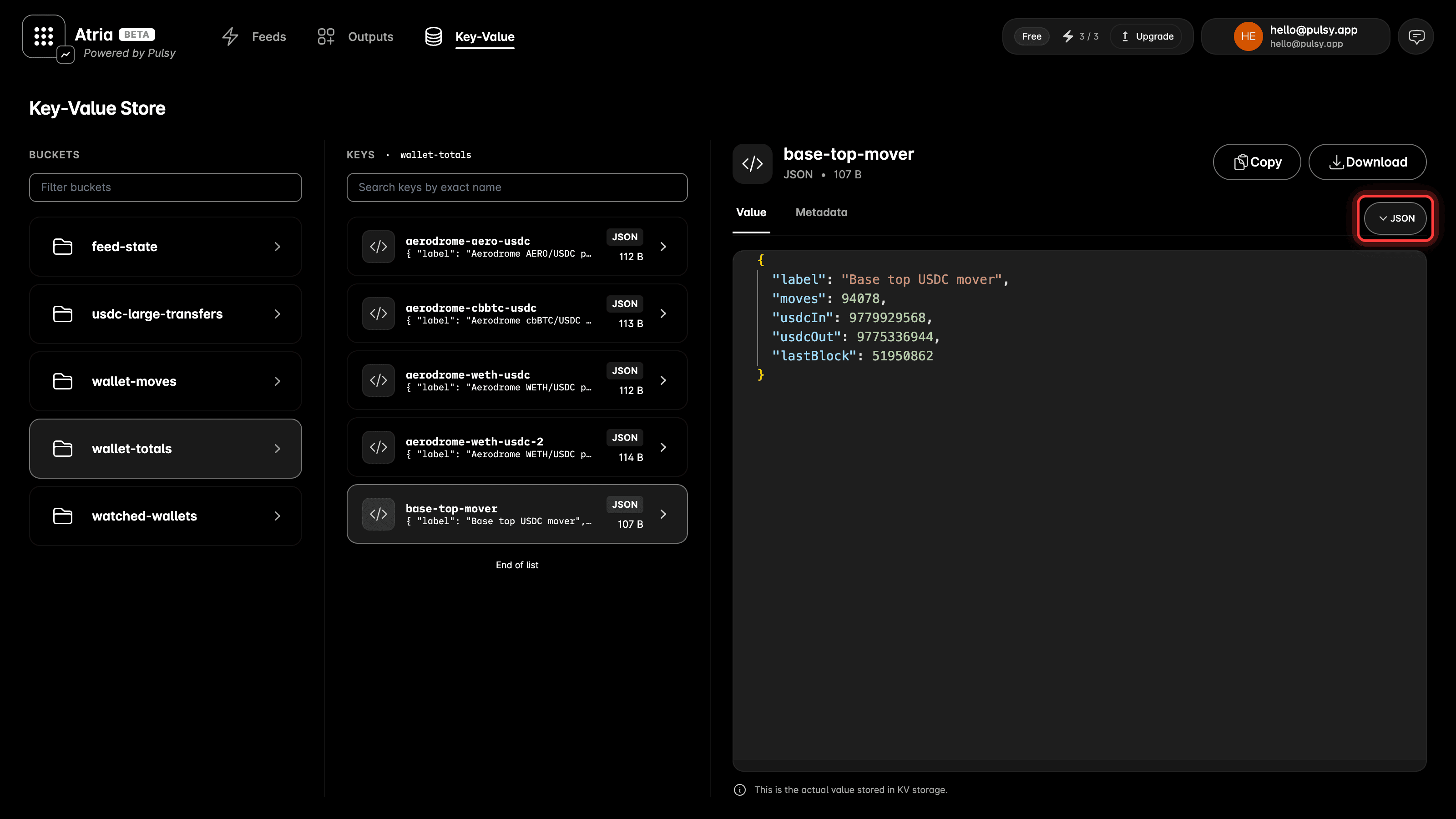 The **Metadata** tab gives you the bucket, the key, the type, the size in bytes and the character count.
 ## The Page Only Reads
Nothing on this page changes or deletes a value, so opening a bucket is always safe. A value still changes only where it is written, in a feed or in your own code.
For what feeds can do with KV, see [KV storage](/atria/core-concepts/kv-storage).
## The Page Only Reads
Nothing on this page changes or deletes a value, so opening a bucket is always safe. A value still changes only where it is written, in a feed or in your own code.
For what feeds can do with KV, see [KV storage](/atria/core-concepts/kv-storage).