> ## Documentation Index
> Fetch the complete documentation index at: https://docs.pulsy.app/llms.txt
> Use this file to discover all available pages before exploring further.
# Share a Feed
> Publish a read-only link to a feed so anyone can view its code, live events and metrics.
# Share a Feed
Atria Cloud only
Sharing turns a feed into a public read-only page. Anyone with the link can open it without an Atria account.
## Turn Sharing On
Open the feed and select **Share** in the feed header, then **Enable sharing**.
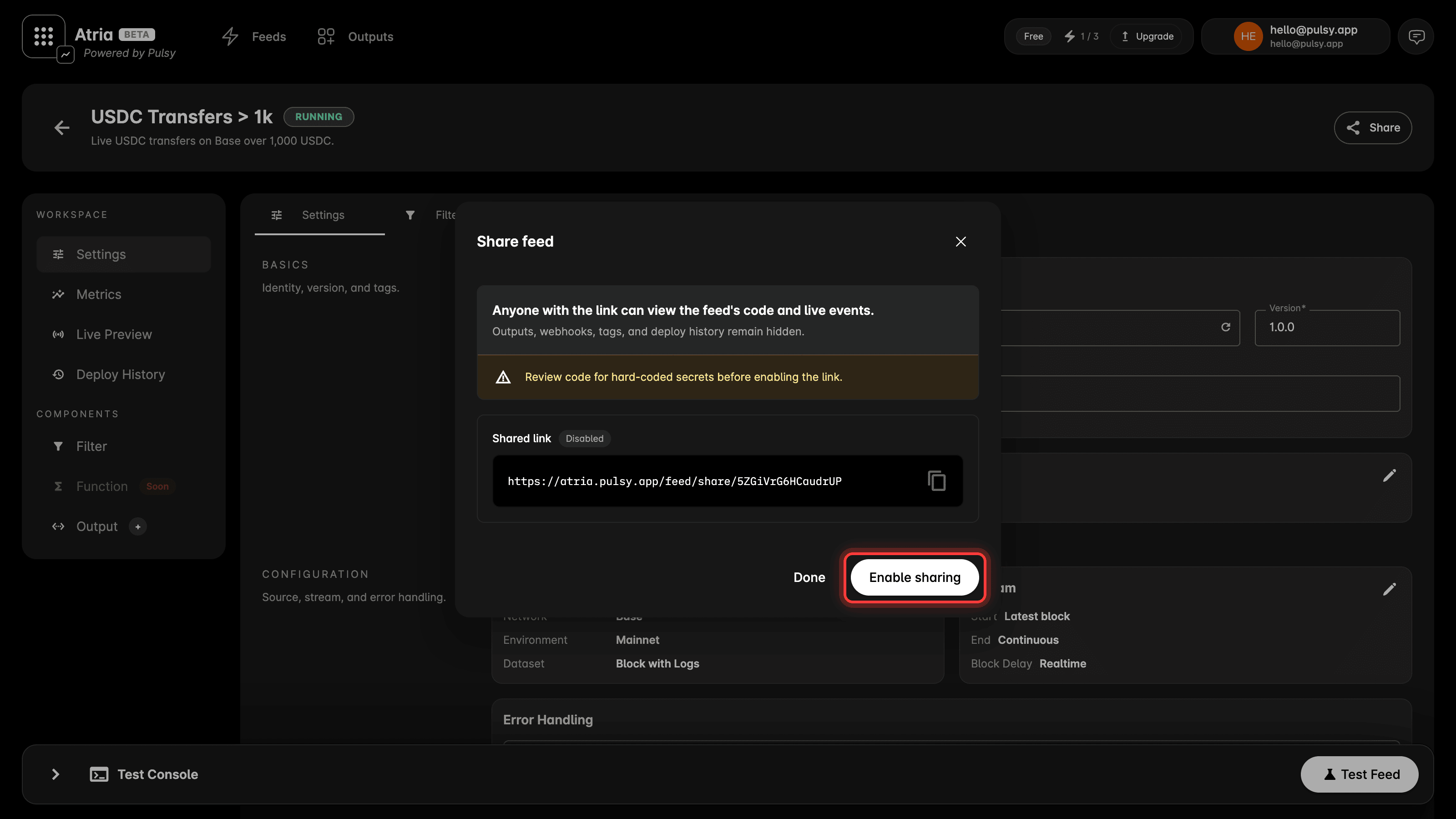 You get a link in the form `https://atria.pulsy.app/feed/share/
`. Use the copy action next to it.
Once sharing is on, the header button reads **Shared via link**.
 ## What a Visitor Sees
 * The feed name, description and status.
* The network it reads and the data type it handles.
* The filter code.
* **Live Preview**, the same stream of results you watch in your own workspace.
* **Metrics** for the feed, including data reduction, input processed, output produced and failures.
* The feed name, description and status.
* The network it reads and the data type it handles.
* The filter code.
* **Live Preview**, the same stream of results you watch in your own workspace.
* **Metrics** for the feed, including data reduction, input processed, output produced and failures.
 ## What Stays Private
Outputs, webhooks, tags and deploy history are never included on the shared page.
Your filter code is visible to anyone who opens the link. Review it for hard-coded secrets before you enable sharing.
## Start From a Shared Feed
A shared feed has a **Use this data** button. It copies the feed into the visitor's own workspace as a new feed, with the settings and the filter code already in place.
Outputs are not copied, because they are not part of what gets shared. The new feed opens on its output step so you can add your own before you test or deploy.
## What Stays Private
Outputs, webhooks, tags and deploy history are never included on the shared page.
Your filter code is visible to anyone who opens the link. Review it for hard-coded secrets before you enable sharing.
## Start From a Shared Feed
A shared feed has a **Use this data** button. It copies the feed into the visitor's own workspace as a new feed, with the settings and the filter code already in place.
Outputs are not copied, because they are not part of what gets shared. The new feed opens on its output step so you can add your own before you test or deploy.
 The button also works for someone without an account. They are taken through sign up first, and the copied feed is waiting for them when they land.
## Link Previews
A shared link renders a preview card when it is pasted somewhere that unfurls links, such as Slack or X. The card carries the feed name and its network.
## Turn Sharing Off
Open **Share** again and select **Turn off sharing**. The link stops opening the feed.
The link keeps its code, so turning sharing back on gives the same URL rather than a new one.
The button also works for someone without an account. They are taken through sign up first, and the copied feed is waiting for them when they land.
## Link Previews
A shared link renders a preview card when it is pasted somewhere that unfurls links, such as Slack or X. The card carries the feed name and its network.
## Turn Sharing Off
Open **Share** again and select **Turn off sharing**. The link stops opening the feed.
The link keeps its code, so turning sharing back on gives the same URL rather than a new one.